Trading performance · App workflow
Instead of reconstructing every trading session from memory, open the VCG Markets app and locate VCG ONE to check your behavioural performance score. Use this 2026 workflow to review the information shown and record a question for your next trading review.
Key takeaways
- Check your VCG ONE score through the VCG Markets app using the navigation shown in your installed version.
- VCG ONE scores trading performance across eight behavioural dimensions in real time.
- Read the score alongside its explanation and your trade history. It is not a trading instruction.
- Keep dated review notes so you can distinguish a changed score from a changed trading process.
01Access your score
02Read the context
03Record your review
01
Why this matters
VCG ONE scores trading performance across eight behavioural dimensions in real time. That makes it a performance-review tool. It does not turn a score into an instruction to enter a position or increase exposure.
The useful question is not simply whether the number increased. Ask what the explanation says about your decisions. For more on separating a score from its interpretation, read performance scores in context.
VCG Markets pairs VCG ONE with trading access for traders who want to review their own behavioural performance. Keep that review separate from decisions about a particular financial instrument.
02
Before you start
- Have the VCG Markets app and your account sign-in details ready. Keep passwords and verification codes private.
- Have your trading journal or review notes available. Use a dated entry for your 2026 review rather than relying on memory.
- Check what the score describes before comparing it with an earlier reading. A displayed value is not enough to establish the account context, trade coverage or meaning of a change.
Follow the navigation and explanations in your installed app. Do not treat a guessed menu name as an instruction. If you cannot locate the feature, ask support for the current route before proceeding.
Keep 3 checks together: account identity, score context and review date. These are your review checks, not additional scoring dimensions.
03
Your account and score
- Open the app and complete the sign-in process shown on your device.
- Confirm that you are viewing the account you intend to review. Resolve any uncertainty before recording performance information.
- Locate VCG ONE through the app’s current navigation. Use the app’s own guidance or support if the route is unclear.
- Read the score and any accompanying explanation. Record the value exactly as displayed. Preserve its scale or label rather than converting it into a percentage.
Expected result: You have located the score and identified the account you are reviewing. If no score appears, stop at that point. An empty display is not a zero score.
Do not place a trade to make a score appear. A performance-review task should not become a reason to take market risk. Ask support to clarify the display instead.
04
Score context
- Read the explanation attached to the score before judging the number. Use the terminology displayed rather than assigning your own meaning.
- Review any behavioural detail provided. Do not invent names or weights for the eight dimensions.
- Check any displayed account, timing or trade-coverage information. If a detail is unclear, leave that part of your interpretation open.
- Compare the explanation with your own trading records. Note whether those records support the interpretation or raise a question.
Expected result: You can distinguish the displayed assessment from your own interpretation. Your notes identify what you observed and what still needs checking.
For a 2026 review, keep the original wording beside your interpretation. That preserves the difference between what the feature reported and what you concluded. Do not rewrite an uncertain explanation as a confirmed cause.
A behavioural score is not the same measurement as account profit or loss. Review each for its own purpose. Neither should replace checking the underlying trading decisions.
05
Your review record
- Record context. Write the review date and time. Add an account reference that does not expose sensitive information.
- Read explanation. Note the displayed score and the explanation relevant to your review.
- Check records. Examine the trading decisions connected to your question. Separate documented actions from recollections.
- Set question. End with 1 review question that your trading records can answer.
Expected result: You have a dated record and a specific question. You have not treated a changed score as proof that a particular trade caused it.
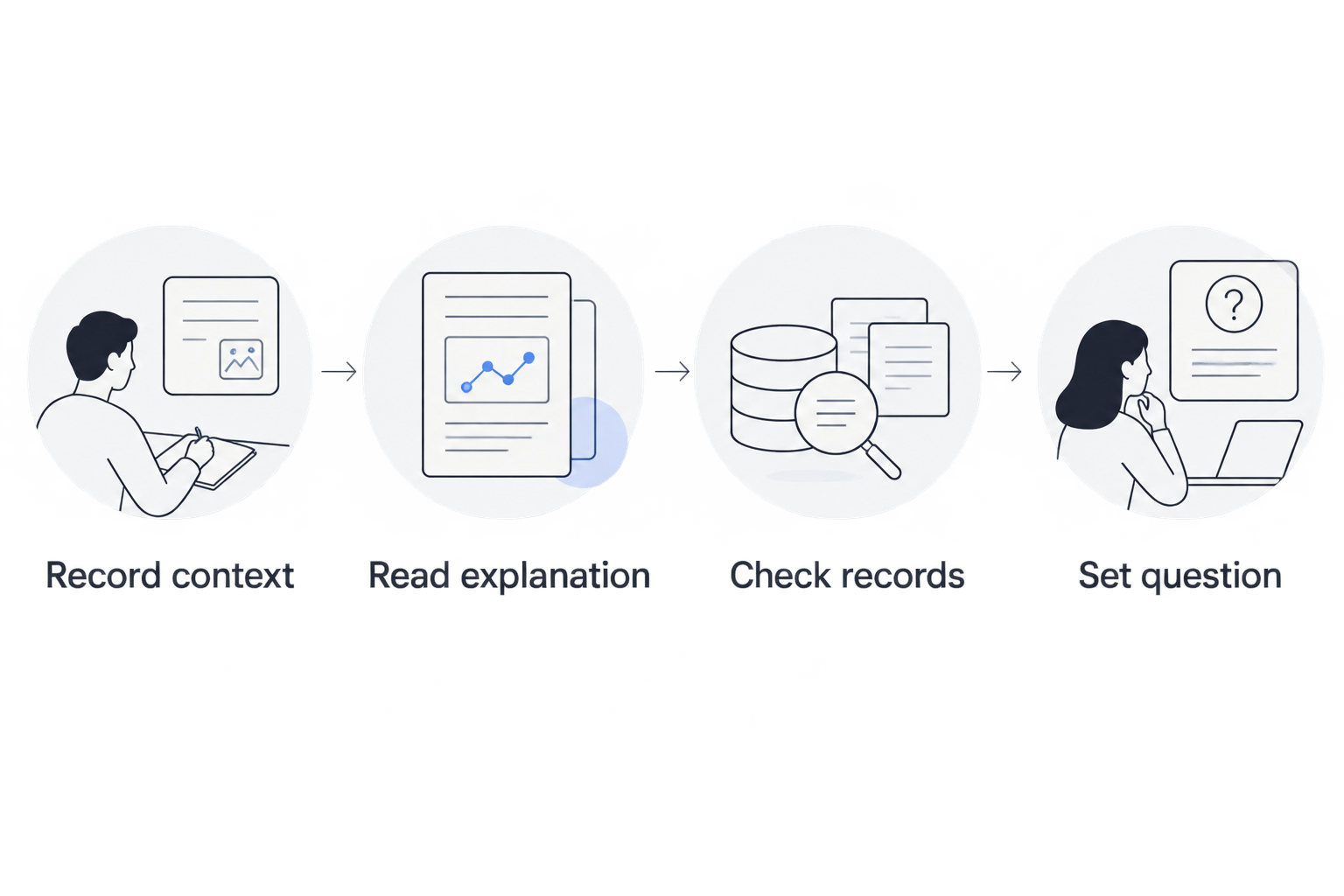
Record the context before interpreting a change.
Keep the question narrow. For example, ask whether your recorded exits followed your written exit rules. That is a process check. It does not require predicting the next market move.
06
Reviewing a changed score
Use a second workflow when a later reading differs from your saved record. Start with comparability. Do not begin by deciding that the newest trade explains the movement.
- Open your earlier review entry and check its account reference.
- Compare the displayed context and explanation with the current reading.
- Record any differences before interpreting the score movement.
- Check the relevant trading records. Leave the cause unresolved if the evidence does not establish it.
Use these 2 review modes for different tasks. A quick check records what is shown. A scheduled review examines the decisions behind your questions.
| Review mode | Suited to | Benefit and limitation |
| Quick check | Recording the current display | Creates a dated reference. Does not establish why a score changed. |
| Scheduled review | Checking decisions against records | Adds documented context. Requires records beyond the score. |
07
Troubleshooting
- You cannot locate VCG ONE. Use current app guidance or contact support for the navigation route. Describe where you are in the app rather than guessing which menu should contain it.
- The score area is blank. Check whether other account information loads. Note any error message and ask support to investigate. Do not record the blank as a numerical result.
- The score differs from your saved note. Recheck the account context and displayed explanation. Record the difference without assuming a calculation error or a particular trade as the cause.
- You cannot interpret a label. Preserve its exact wording and request clarification. Do not substitute a familiar metric with a different meaning.
For a support request, include the time you observed the issue and the message shown. Remove sensitive account information from any screenshot. Never include passwords or verification codes.
08
Customize your workflow
Add a score-review entry to your existing journal rather than creating a separate decision system. Keep the displayed assessment beside your process notes. Mark your own interpretation clearly.
For your 2026 review routine, choose a repeatable point to record observations. Do not make an unchanged score a reason to trade. The purpose is to examine decisions already documented.
Build the next stage around a weekly trading review workflow. Keep open questions visible until your records or an explanation resolve them.
Frequently asked questions
How do I check my VCG ONE score in the VCG Markets app?
Sign in to the app and locate VCG ONE using the current navigation. Read the displayed score with its explanation. Ask support for the route if you cannot locate the feature.
What does VCG ONE measure?
VCG ONE scores trading performance across eight behavioural dimensions in real time. Use the explanations provided to understand the assessment rather than inventing dimension names or weights.
Does a higher score mean I should increase my position size?
No. Do not use a behavioural performance score as an instruction to increase position size. Keep performance review separate from decisions about market exposure.
What should I do if my score is not showing?
Check whether other account information loads and record any error message. Ask support to clarify the display. A blank area is not a zero score.
Why has my score changed since I last checked?
A changed score alone does not establish its cause. Compare the account context and accompanying explanation with your saved record before drawing a conclusion.
Should I record my score after every trade?
Use a review schedule that supports your journal rather than treating every trade as a scoring event. Record the date and context whenever you save a reading.
Is my behavioural score the same as my trading profit?
No. A behavioural performance assessment and trading profit are different measurements. Review the score explanation and your account results separately.
Conclusion
One final recommendation: preserve the question you had before checking the score. Otherwise, the displayed number can become the subject of the review instead of the decision you intended to examine.
Keep your 2026 records factual. Save what was displayed. Separate interpretation from observation. Return to the trading decisions that your records can actually explain.
Check the score. Preserve the context. Review the decisions.
Related guides
This article is for educational purposes only and does not constitute investment advice. Trading CFDs and other leveraged products carries a high level of risk and may not be suitable for all investors.